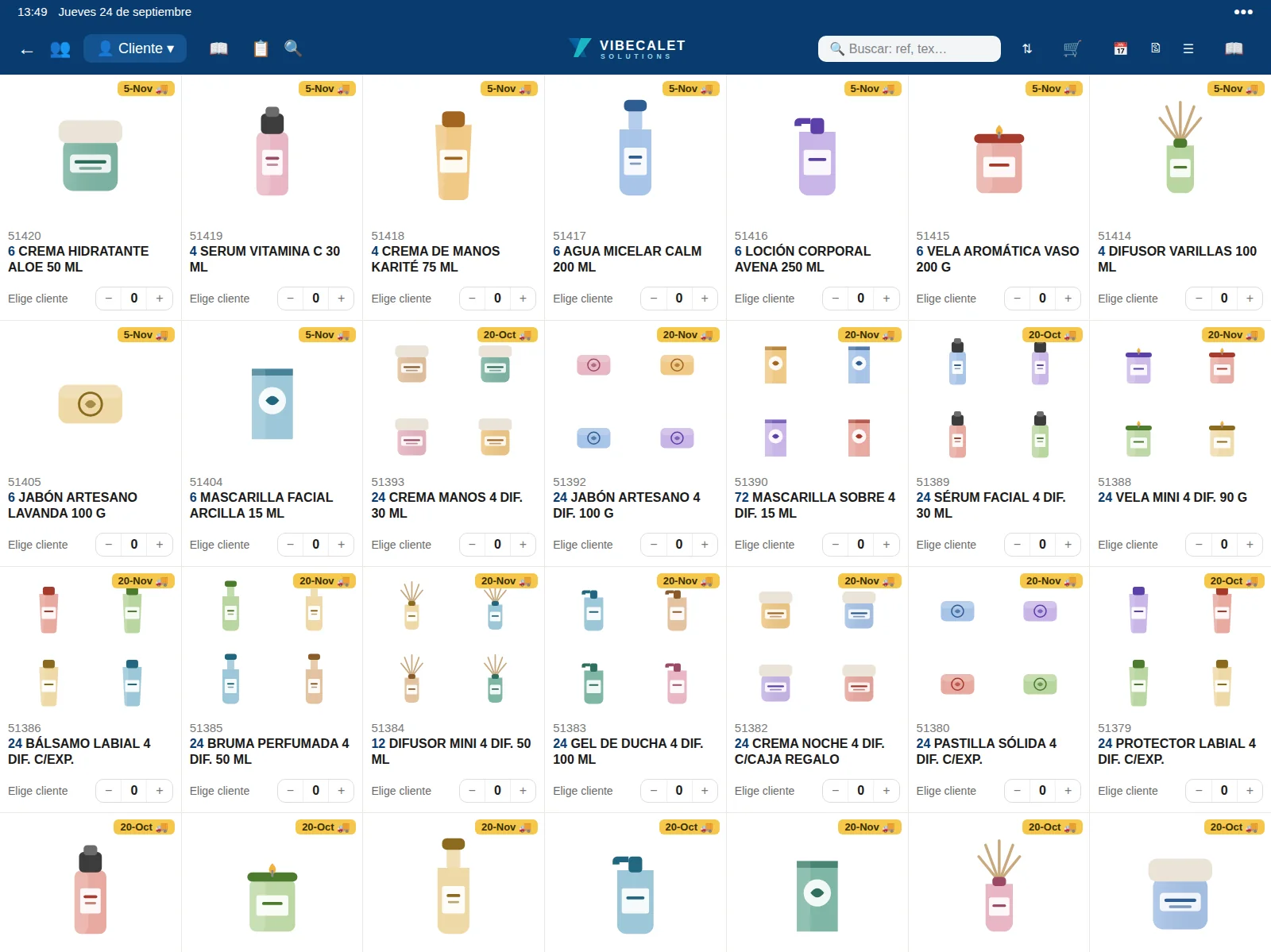
Photos, product details, price and stock for every item, always available on the device, online or offline.
Search and filters
By name, reference or code, and by collection.
Free stock
What is available and which part of an order can be delivered.
Scanner and camera
Barcode or printed reference, straight into the order.
Cross-selling
Recommendations and purchases shared between customers.
ORDERS AND BACKORDERS
Every order, with its delivery date.
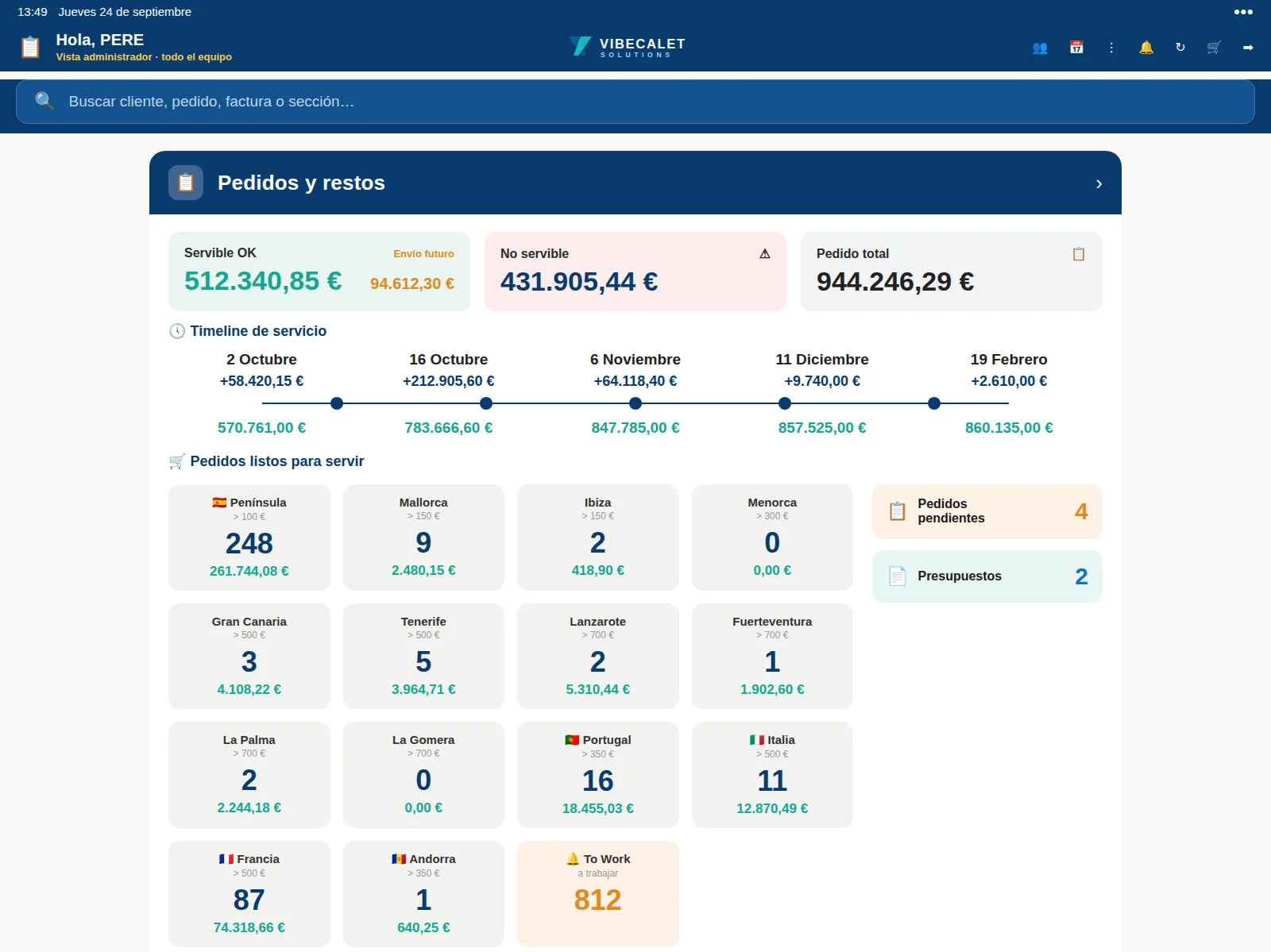
A timeline shows when each order ships and what remains outstanding. Backorders are split by whether they can be delivered or not, so you never overpromise.
Delivery timeline
Each order’s delivery date, at a glance.
Deliverable backorders
Outstanding items that can already ship with free stock.
Undeliverable backorders
What is waiting for goods, kept separate and in view.
Backorders to work
Orders just short of the minimum: a list to complete them.
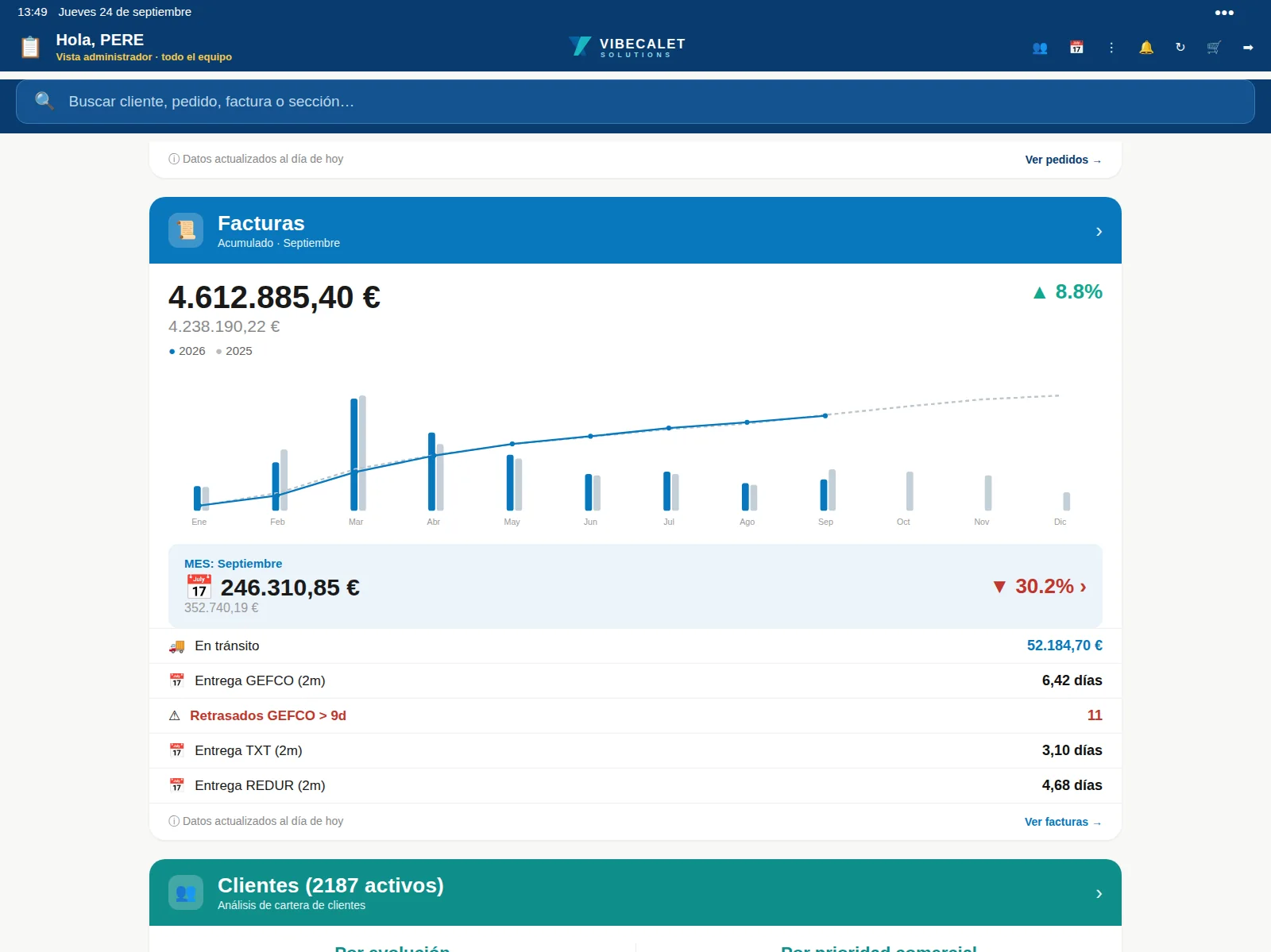
INVOICES
Any invoice, in seconds.
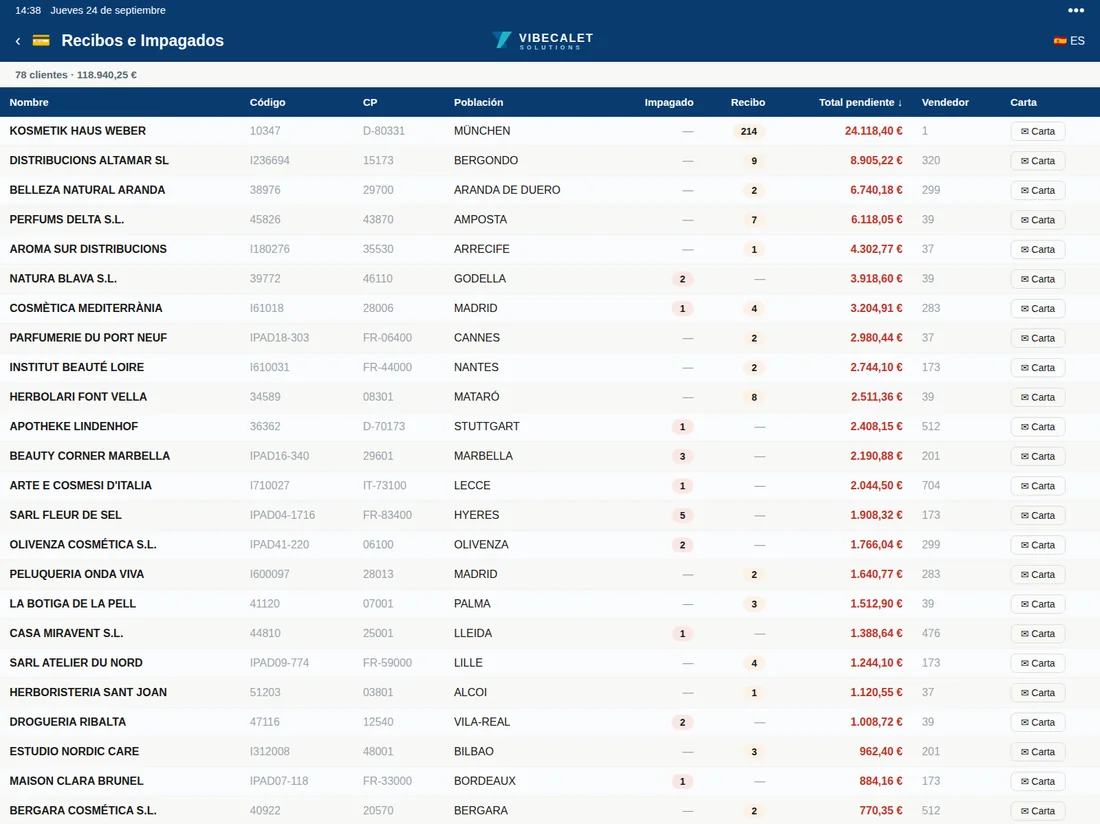
Search by invoice, customer, order, postcode or town, open the line-by-line detail and send it to the customer from the same screen.
Full search
Invoice, customer, code, order, postcode or town.
Detail with VAT
Line by line, with amounts and a live total.
Due dates
Outstanding and overdue by customer, to prioritise collection.
PDF and sending
By WhatsApp or email, with a professional look.
CUSTOMERS
Your portfolio, sorted by opportunity.
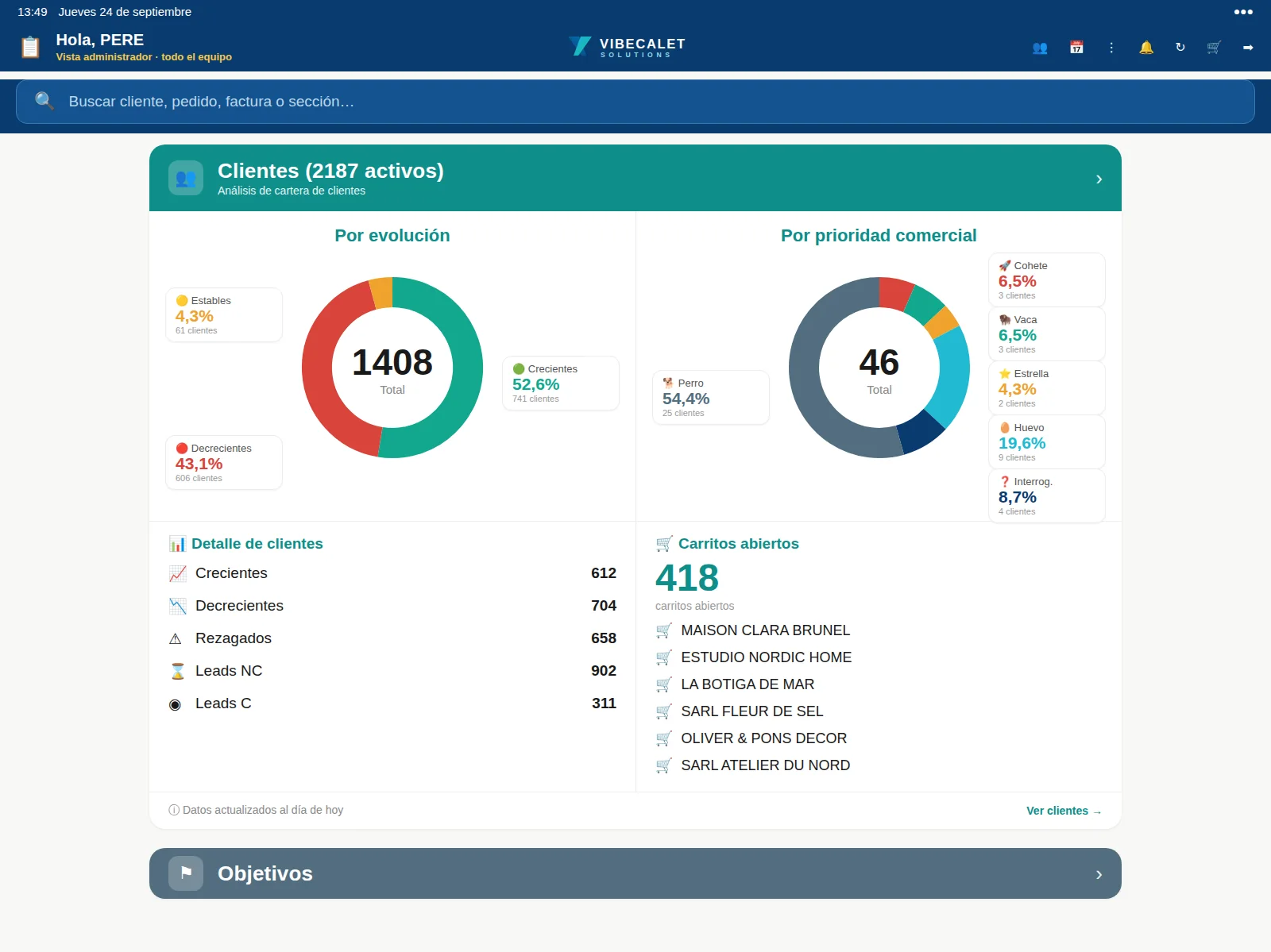
Each customer is placed on the Boston Consulting Group matrix according to their turnover and trend, and the portfolio is split into growing, stable and declining.
BCG matrix
Each customer in their quadrant, calculated automatically.
Growing, stable and declining
Declines are spotted before they show up in turnover.
360 customer record
Details, 24-month history, orders and invoices on one screen.
Sales actions
Call, visit or offer, with status and follow-up.
With Google Maps
MAP
Your portfolio, on the map.
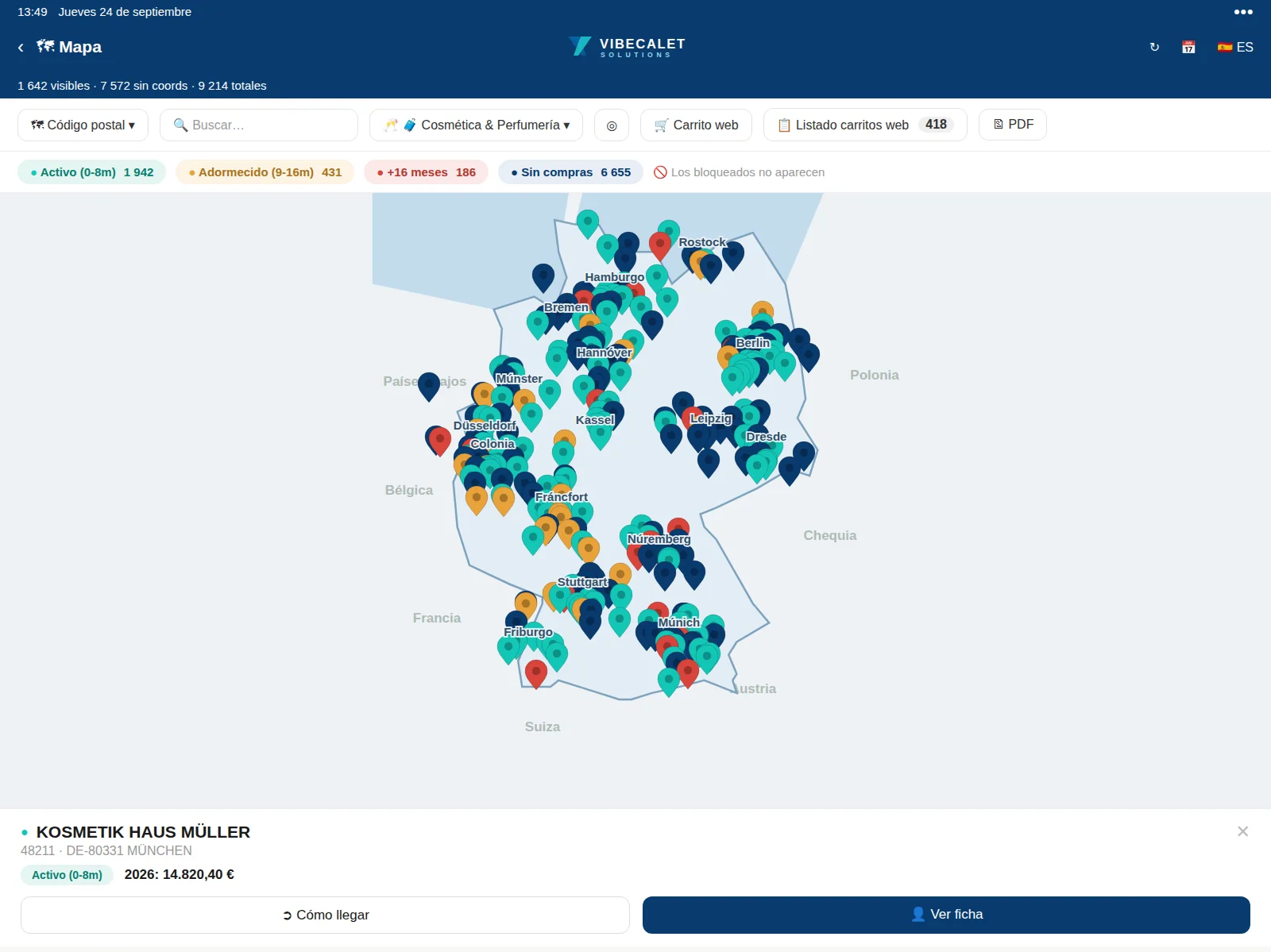
Every customer geolocated on Google Maps: plan routes, spot uncovered areas and review completed visits.
Customers on the map
Your whole portfolio located, with its information a tap away.
Today’s route
Visits ordered to make the most of time on the road.
Visits with GPS and photo
Each visit logged with location and photograph.
Uncovered areas
Where there are customers and where you are not reaching them.
ANALYSIS AND COLLECTION
The numbers that matter, without leaving the app.
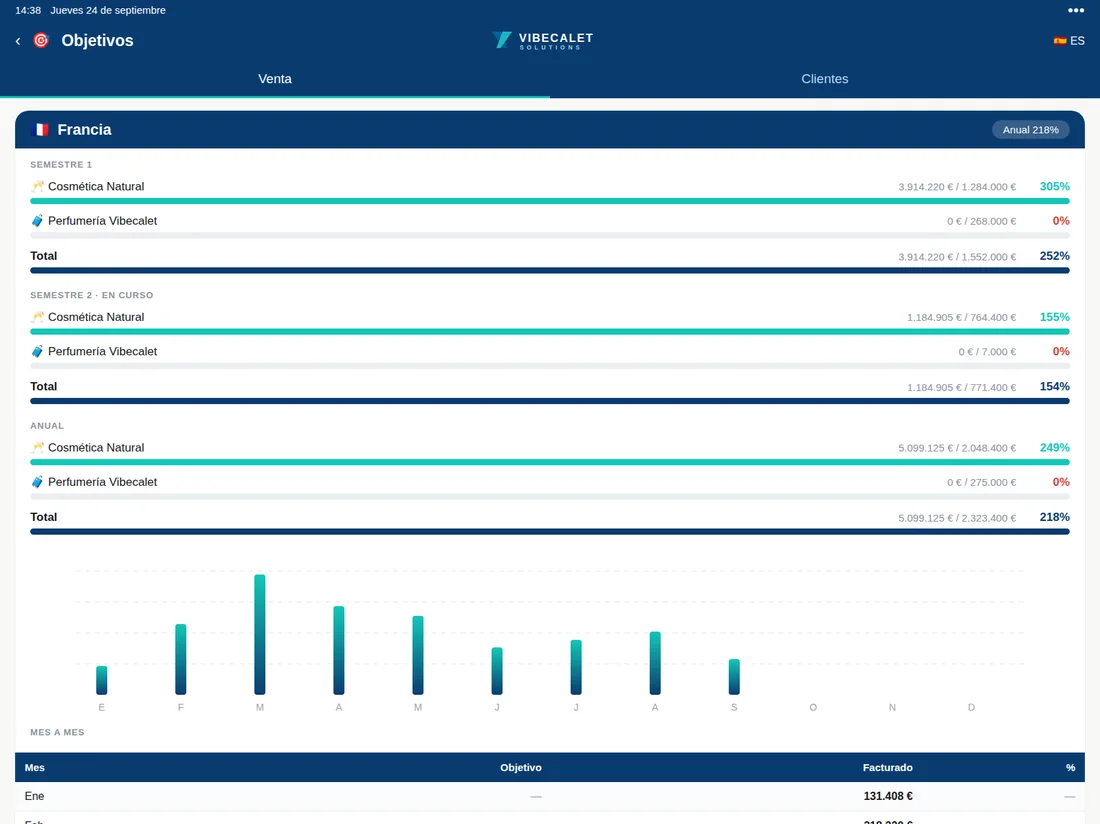
Targets
By rep, area and customer, with achievement and ranking.
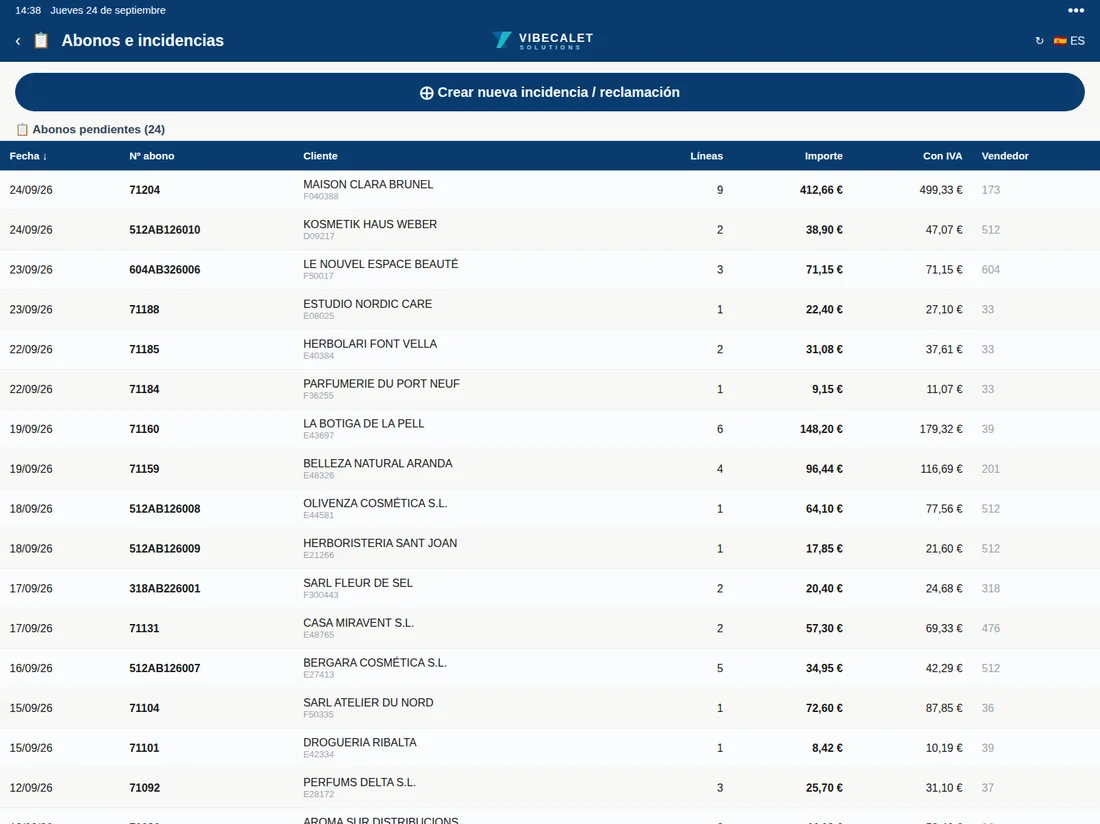
Credit notes
Each customer’s returns and credit notes, in view.
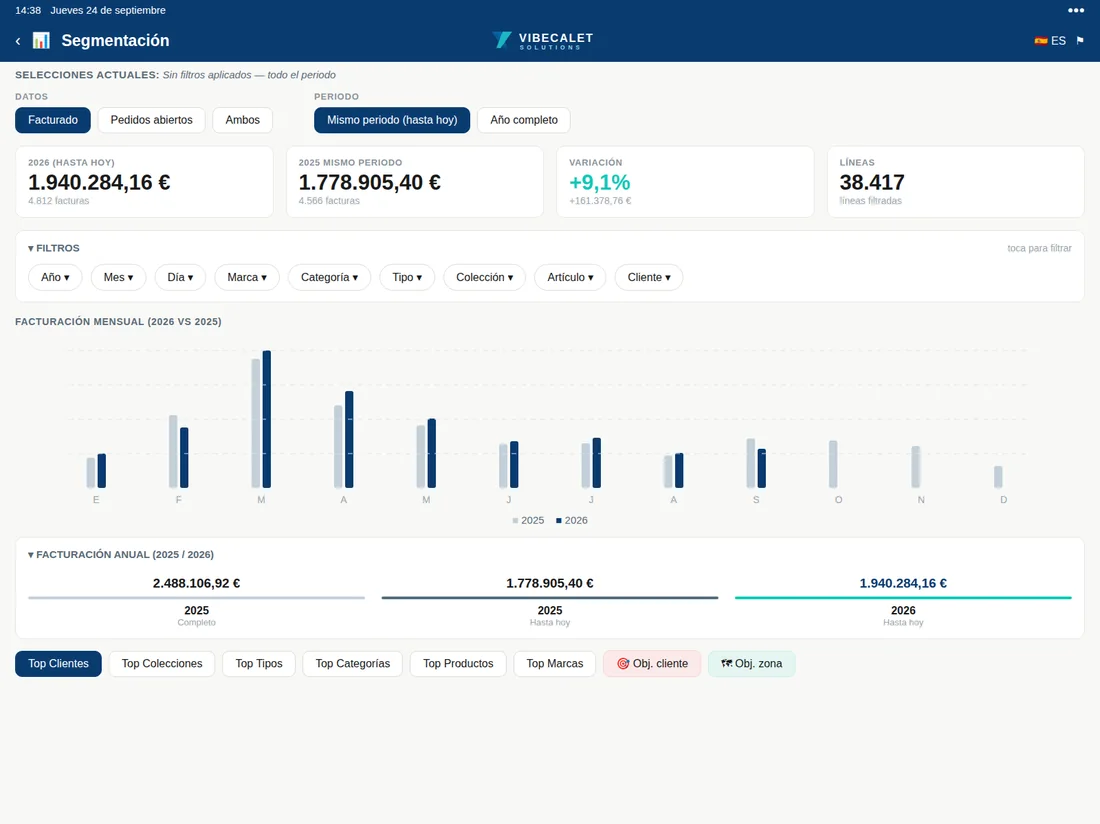
Segmentation
Growing, lagging and converted leads, with counters.
Unpaid invoices
Overdue items by customer and collection letters in six languages.
CONNECTED
Your everyday apps, a tap away.
Send an order by WhatsApp, an invoice by Gmail or Outlook, or open the route in Google Maps without leaving the CRM.
Google MapsDirections to each customer and today’s route.
WhatsAppOrders, invoices and letters as PDF, straight to the customer.
GmailDocuments by email with a single tap.
OutlookThe same sending, from your company account.
360 Sales CRMVIBECALET
And everything the day-to-day demands.
From first contact with a new customer to the collection of their last invoice.
360 customer record
Details, addresses, 24-month history, orders and invoices on a single screen.
Invoices and due dates
View invoices, overdue and unpaid items to prioritise collection.
Letters in six languages
Welcome and payment reminder letters, ready to send by WhatsApp or email.
Incidents with photos
Claims with evidence and carrier tracking.
Trade fairs and showrooms
Each event with its customers, without parallel lists.
Route and visits
Today’s route and visits logged with location and photograph.
Targets
By rep, area and customer, with achievement and ranking.
Shared portfolios
Cover and shared areas without losing track of who each sale counts for.
Export
PDF with photos, Excel and direct sending to the customer.
INTEGRATION AND SECURITY
Connected to your ERP. Secure by design.
A single source of data
Customers, products, price lists, stock, orders and invoices come from the ERP. Orders, new customers and incidents go back to it. Nothing is typed twice.
Everyone sees their own
Only authorised devices receive data. Each rep accesses their own portfolio and management sees the team’s. Credentials are stored encrypted.
ERPS WE ALREADY WORK WITH · REAL PROJECTS ON ALL OF THEM
Microsoft Dynamics NAVBusiness CentralSAP Business OneSAP S/4HANASage 200Sage X3OdooA3ERPHolded
We have connected every one of them on real projects. And if yours isn’t on the list, we’ll integrate it anyway: all it needs is an API or access to its data.
We use our own cookies, which the website needs to work, and, if you allow it, Google Analytics and Google Ads cookies to count visits and measure our campaigns. You can accept them, reject them or choose which ones. Cookie policy

 With Google Maps